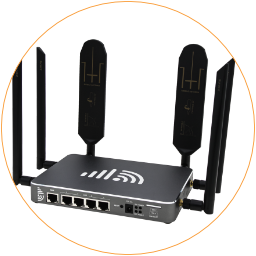
Overview
Monitor status and configure APN and Protocol on the Mobile interface.
MOBILE STATUS
Section titled “MOBILE STATUS ”Access the router, go to Network > Interfaces. You can find the Mobile interface, which corresponds to the cellular modem. Once you boot up the EZR24 router, the mobile interface automatically connects to mobile networks.
After successfully setting up a mobile internet connection, you can find the below information on the status of both Mobile interfaces.
- Rx/Tx indicates the real-time data stream, not the internet speed rate.
- IPv4 Address is the IP address obtained from the mobile carrier.
You can manually Stop use the Mobile interface to disable the mobile connection. If required to Restart the portable modem, please re-connect with the DC power adapter to force the cellular modem to run a fresh restart.

Mobile Interface Status
APN SETTINGS
Section titled “APN SETTINGS ”APN, short for Access Point Name, is the mobile network gateway. Generally, the 4G router can use the default APN parameters prebuilt in the cellular modem to set up a connection.
Some mobile carriers or data plans use different APN addresses. Please check the correct APN address with the SIM card provider. You can follow the below guide to set up APN parameters.
- Access the router, go to
Network>Interface. Click theEditbutton on the row ofMobile. - In the tab
General Setup
Protocol: Keep the defaultMobile Dataunless you need to switch to4G-PPP
Modem device: Use the default/sys/devices/platform/1e1c0000.xhci/usb2/2-1
APN: Input the mobile carrier’s APN gateway address
PIN: PIN code of SIM card *Usually non-required.
PAP/CHAP``username: The username of the APN gateway
PAP/CHAP``password: The password of the APN gateway
Authentication Type: The authentication type. *Usually use PAP.
IP connection Type: Leave it as “– Please choose –”.
Forbid Roaming: Enable the checkbox if you need to stop roaming.
Gateway metric: Leave it as “3”. - Click
Save & Applybutton on the bottom right corner to apply the new APN parameters. - Back to
Network>Interfaces, wait 1-2 minutes until the mobile modem reconnects to the mobile network, then check the updated status of the mobile interface.

Example of APN Parameters
Section titled “Example of APN Parameters”Below are examples of APN parameters. You can contact the mobile carrier’s customer service to acquire the specific APN parameters of your data plan. Here are the internet APN settings for some UK mobile phone operators.
United Kingdom
Section titled “United Kingdom”| Carrier | APN Gateway | Username | Password | Authentication |
|---|---|---|---|---|
| Carrier | APN Gateway | Username | Password | Authentication |
| GiffGaff | giffgaff.com | giffgaff | password | PAP |
| O2 | o2.co.uk | o2web | password | PAP |
| Tesco Mobile | prepay.tesco-mobile.com | tescowap | password | PAP |
| 3 Three | three.co.uk | <Not set> | <Not set> | PAP |
| Virgin | goto.virginmobile.uk | user | <Not set> | PAP |
| EE | everywhere | eesecure | secure | PAP |
| Vodafone | internet (or) wap.vodafone.co.uk | wap | wap | PAP |
United States
Section titled “United States”Here are the internet APN settings for some USA mobile phone operators.
| Carrier | APN Gateway | Username | Password | Authentication |
|---|---|---|---|---|
| Carrier | APN Gateway | Username | Password | Authentication |
| AT&T | broadband | <Not set> | <Not set> | PAP |
| T-Mobile | fast.t-mobile.com | <Not set> | <Not set> | PAP |
| Sprint | cinet.spcs | <Not set> | <Not set> | PAP |
| Verizon | vzwinternet | <Not set> | <Not set> | PAP |
| Twilio | wireless.twilio.com | <Not set> | <Not set> | PAP |